How to create motion graphics with Claude Opus 5.5 (Full Course)
i'm going to walk you through the setup i used to make a full brand film with Claude Opus 5.5, from an empty folder to a rendered video with music, voiceover and a logo lockup...
this is the first video i created with opus 5.5 (prompt below)
The media could not be played. Reload video with opus 5.5
every frame in that film is code, every sound is code, and i never opened After Effects once
you don't need a design background for this, you need one picture of your brand or the URL where you sell your product, and one prompt
the reason this is worth your weekend is that video got cheap very fast
a year ago, Tony Dinh paid over $1,000 for a launch video, and last week he made one with Claude in under 30 minutes
Anthropic shipped Opus 5.5 on September 22, and within hours my timeline was full of showreels, launch videos and music videos, all rendered from code, most of them captioned "one prompt"
before we touch a single tool, you need to hear the rule that decides whether your video looks like those or like a rough draft
the prompt is 10% of the result, and the setup is the other 90%
Thariq from the Claude Code team said it better than i can, pointing out that the post says one-shot while the prompt behind it is 10k characters with skills, examples and API keys
Thariq @trq212 · Sep 23 the post: "Claude one-shot this"
the prompt: 10k characters with good takes plus skills, examples and API keys Quote donald @donaldjewkes · Sep 23 Replying to @donaldjewkes I've included an MP4 file and an original link to a video that is called "Claude Pop." It's a pop song that is about increasing rate of progress and the experience of the singularity approaching.
I want you to independently do an end-to-end complete pass on making an updated x.com/other__reality… 76 59 2.2K 266K
i wanted to see this for myself, so i took one of those viral prompts, ran it as-is, and got this:
The media could not be played. Reload Sparks of AGI
and it looked like this without code:
video by opus 5.5
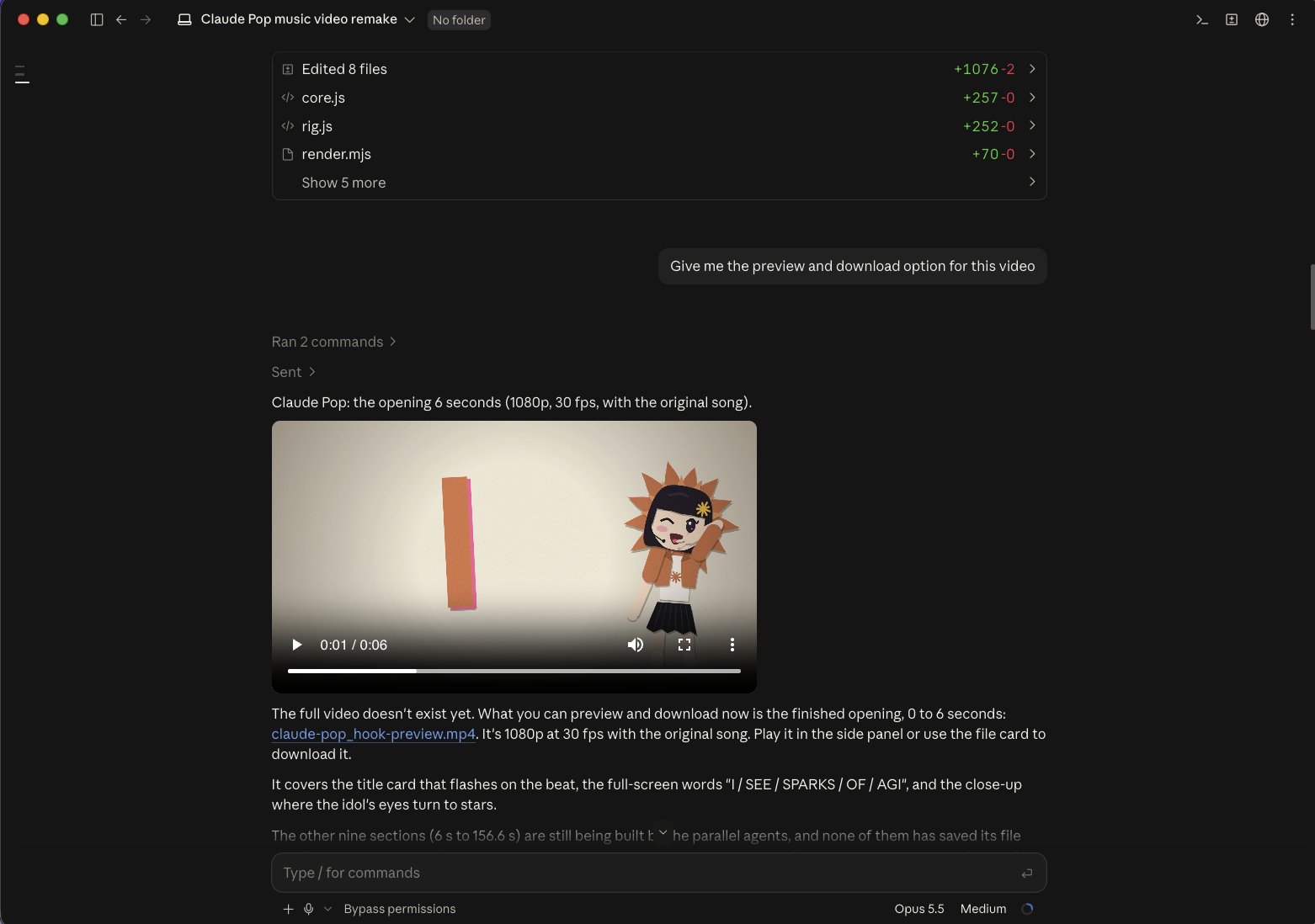
it's decent, but the head floats because there's no neck or body under it, and the text color fights the background so hard you can barely read it
nothing in the prompt was broken, Claude just had no brand, no references and no rules to work from, so it filled the gaps with guesses
so i built the setup first, and the film at the top of this article is what came out
here's what we'll cover, in the order you'd actually build it:
-
the brand folder that becomes your studio
-
the 8 repos that show Claude how video gets made in code
-
the skills that stop Claude from guessing
-
the brand brief and the CLAUDE.md file
-
the exact prompt behind the film
-
rendering the first cut and fixing what breaks
quick note before we build. This guide is one of 50+ i've written on running real work with AI, and every one comes with the prompts behind it, 1,200+ so far
now, back to the motion studio
by the end, you'll have a motion studio on your own laptop, a brand film with music, voiceover and your logo, and a setup you reuse for every video after this one
that last part matters more than the first film, because this is a skill clients already pay agencies four figures for
and as a bonus, you get the ready-to-install repos plus the exact prompt i pasted into Claude Code to make this film, so you can swap in your brand and render your own
create the brand folder:
this folder is your studio, and every video you make from here on starts inside it
it looks like a small step, but Claude Code works from whatever folder you open, so keeping the repos, skills, brand files and renders in one place is what lets every new video build on the last one
open Claude Code
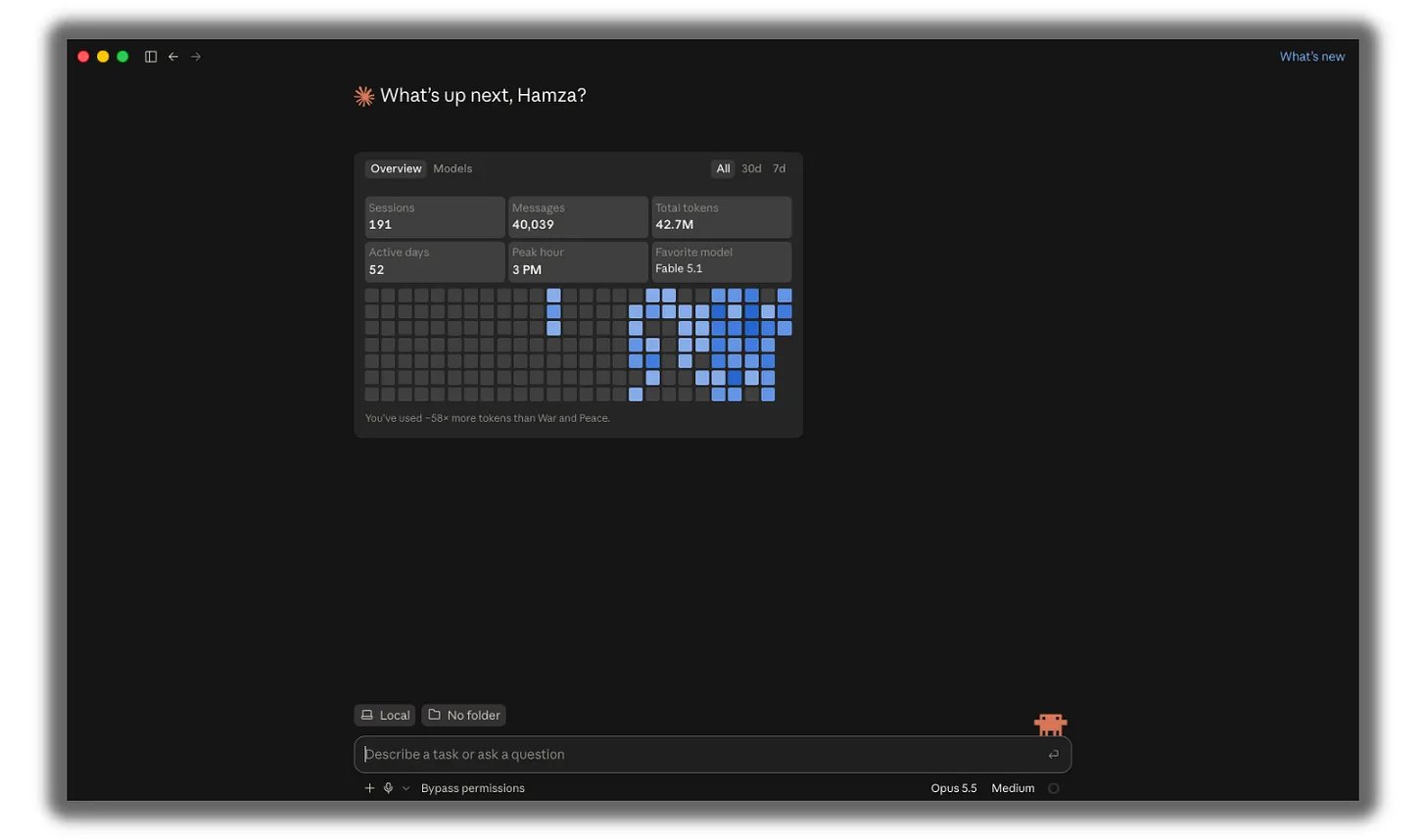
click on No Folder (or the name of whatever folder is already selected)
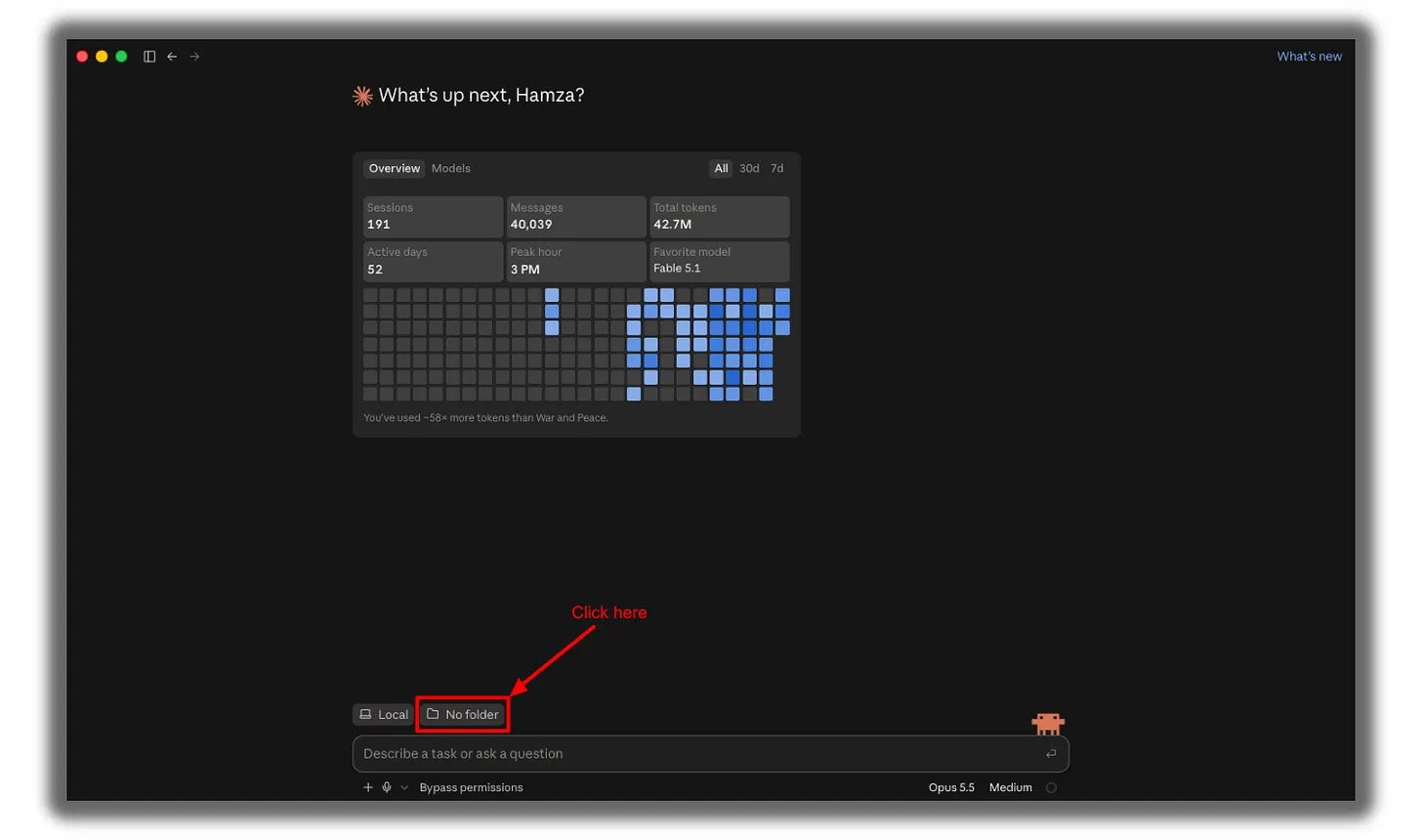
click Open folder
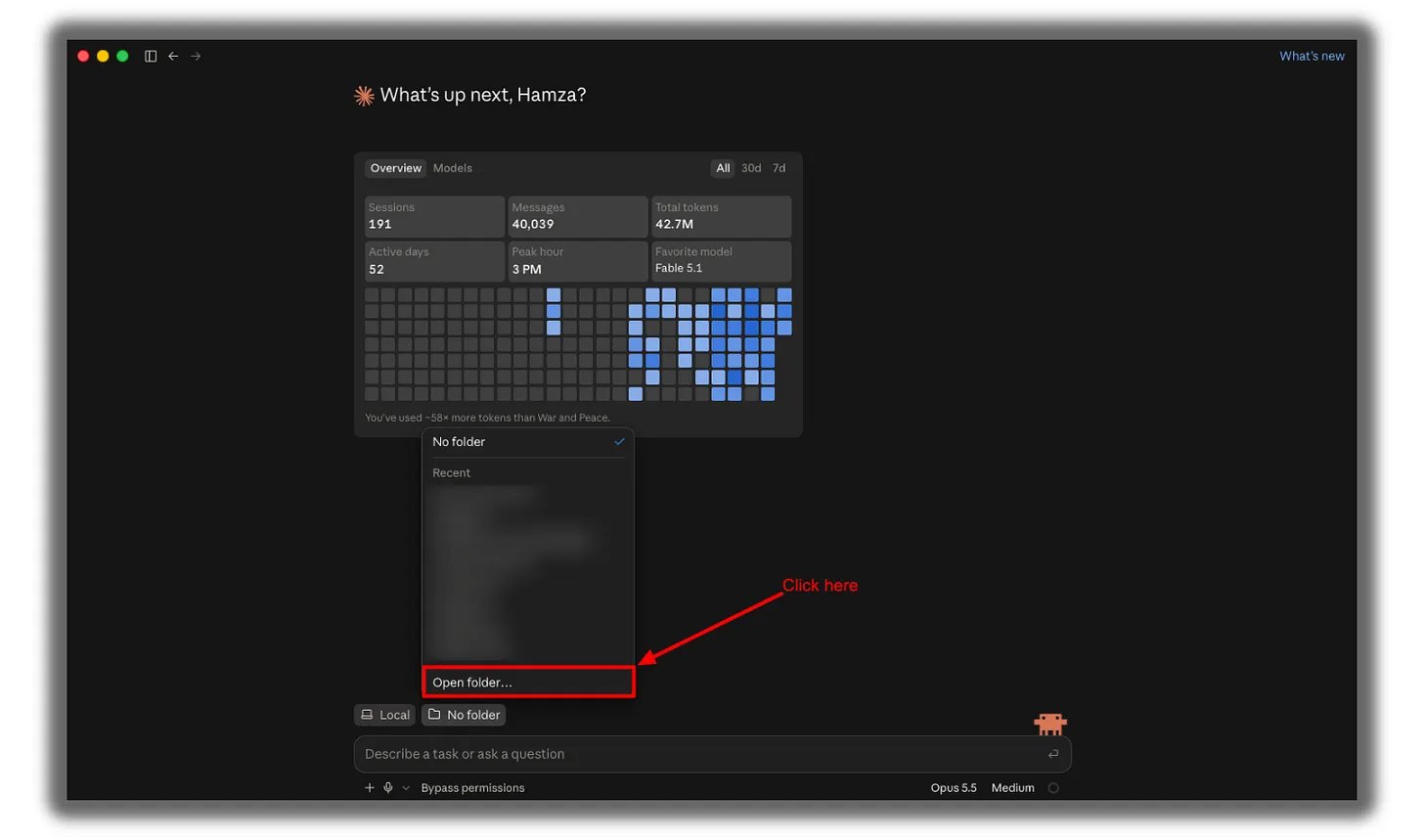
click New Folder
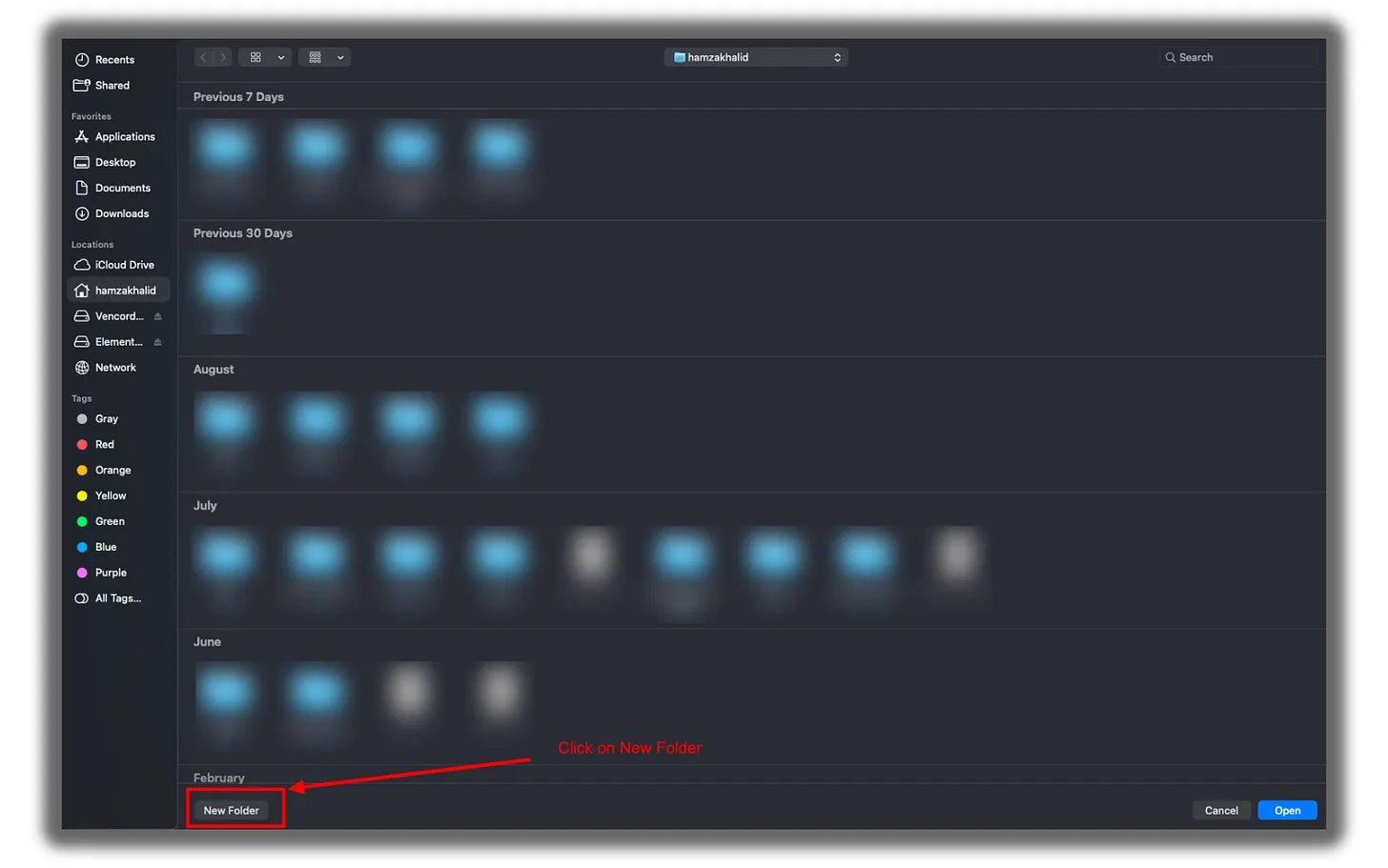
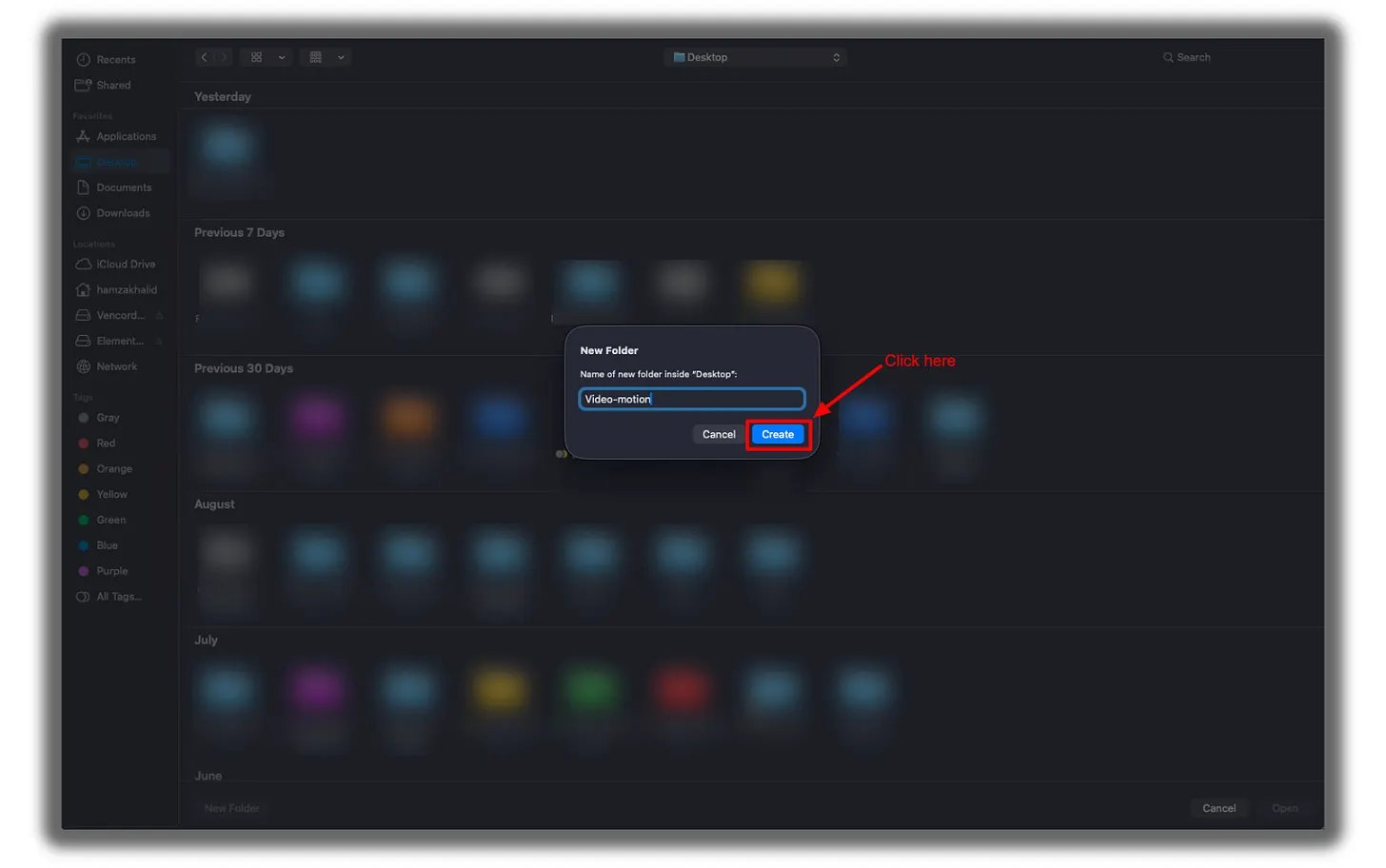
name it after your brand... mine is video-motion-lab
click Create
your folder is now selected in Claude Code
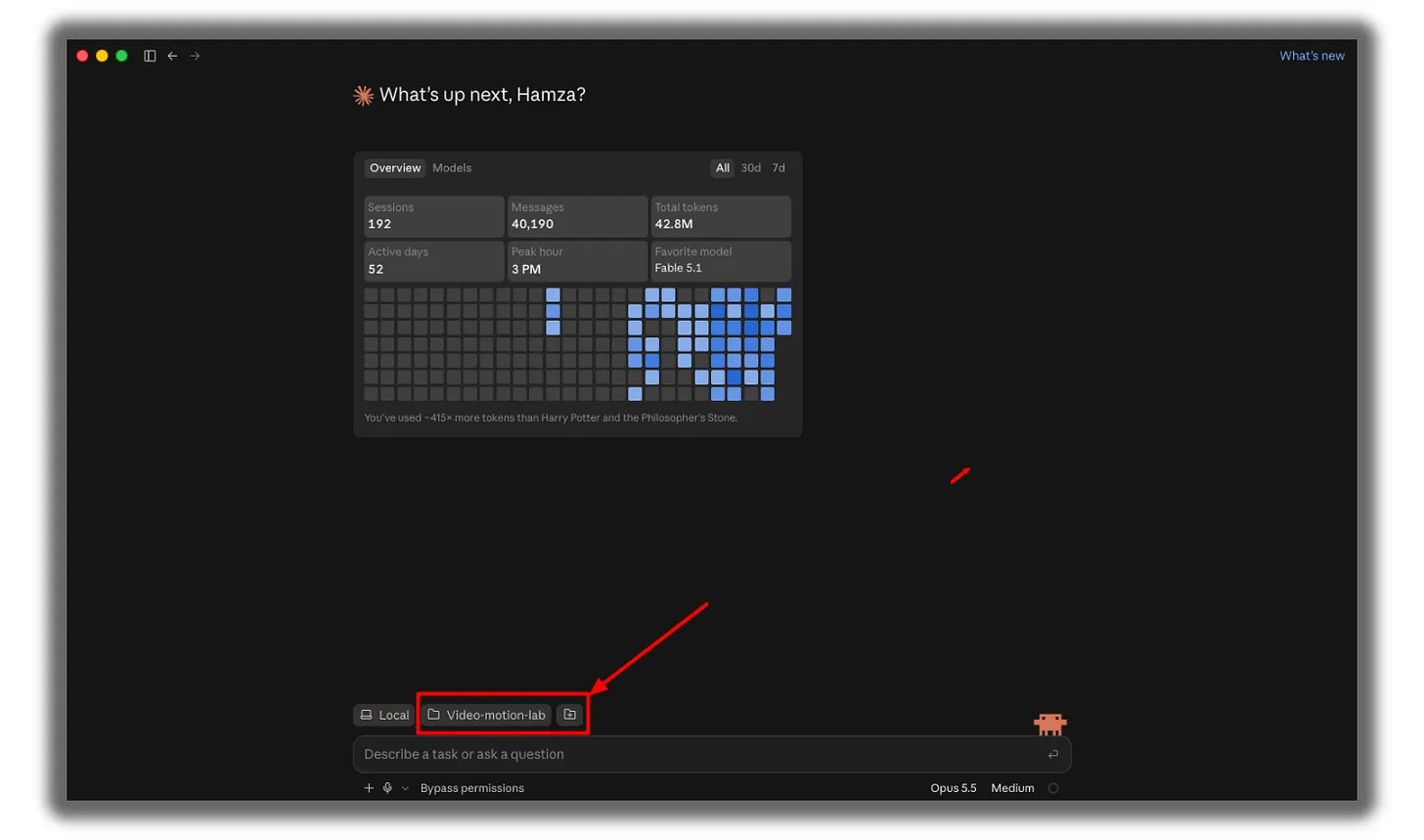
that's the studio, and it takes about a minute.
Clone the 8 repos:
next, Claude needs to see how motion graphics actually get built in code, because a model working from memory alone reaches for the most average animation it has seen
these repos are the reference library, and each one covers a different piece of the job:
- Music video:
https://github.com/JohnHeibel/PDoomVideo
- Starter:
https://github.com/JohnHeibel/ClaudeAnimationBase
- Node canvas:
https://github.com/buildwithhanif/claude-animation-skill
- Framework (HTML):
https://github.com/heygen-com/hyperframes
- Framework (React):
https://www.remotion.dev/docs/ai/skills
- Long form:
https://github.com/WinterArc21/Battle-of-Austerlitz-Film
- Prompt library:
https://github.com/guanmo-ai/awesome-ai-motion
- Dataset:
https://github.com/athemeroy/awesome-opus-5-5-videos
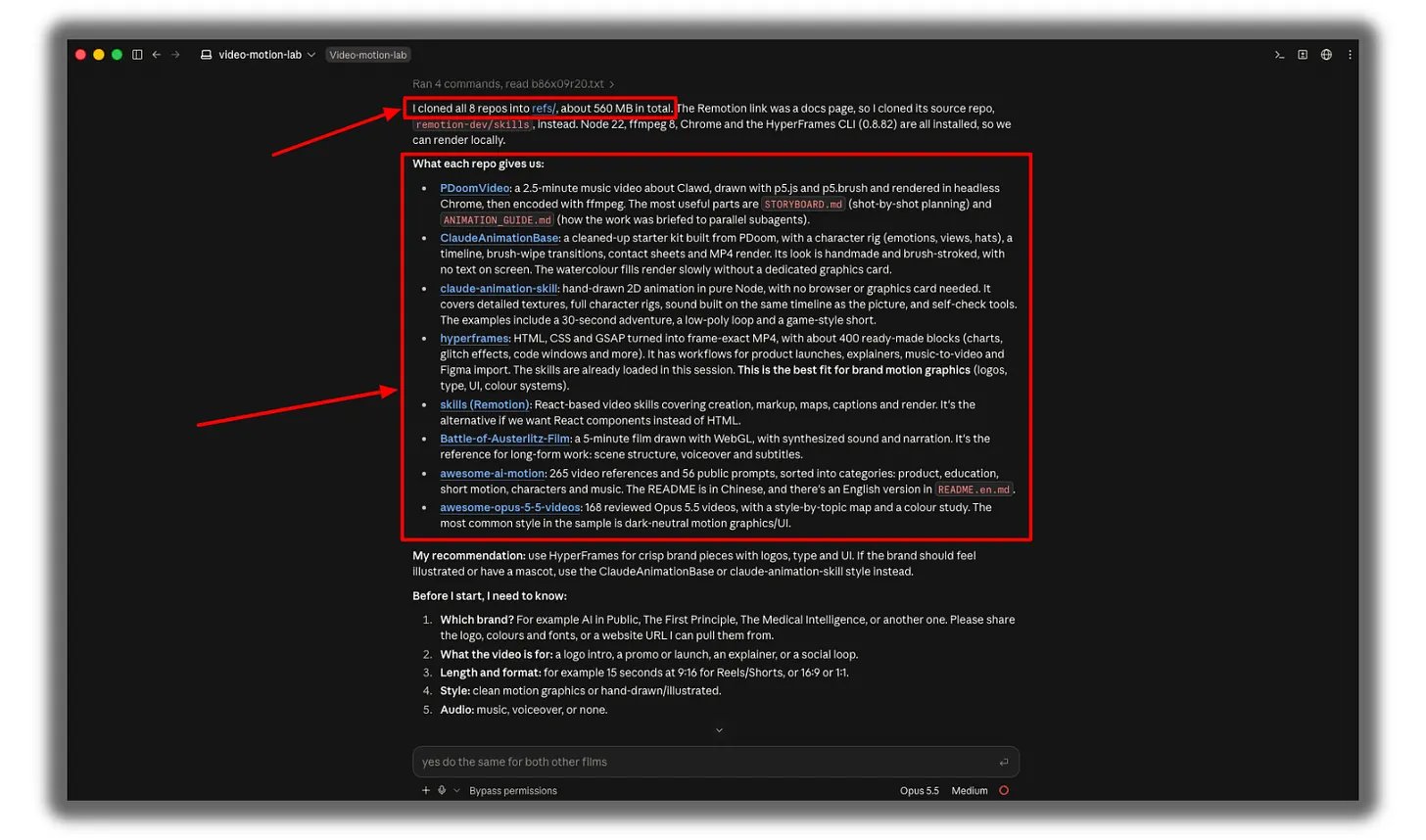
one heads-up, Remotion is a docs page and you can't clone it, so we install it with the skills in the next step
you don't need to clone these one by one either, i already did it and turned the whole thing into a prompt, so Claude handles it for you
copy this and paste it into Claude Code:
Inside this folder, create a subfolder called "repos".
Clone these repos into it: https://github.com/JohnHeibel/PDoomVideo https://github.com/JohnHeibel/ClaudeAnimationBase https://github.com/buildwithhanif/claude-animation-skill https://github.com/heygen-com/hyperframes https://github.com/WinterArc21/Battle-of-Austerlitz-Film https://github.com/guanmo-ai/awesome-ai-motion https://github.com/athemeroy/awesome-opus-5-5-videos
For HyperFrames, skip the large test videos (use GIT_LFS_SKIP_SMUDGE=1).
Before cloning, check if Node.js 22+, git and ffmpeg are installed. If anything is missing, install it.
When done, list every repo with one line on what it's for.
install the skills
skills are instruction packs, and they're the part that stops Claude from guessing
the repos show Claude what good output looks like, while the skills hand it the working rules for each framework, so it builds the way the framework expects
paste these into your terminal, one at a time:
npx skills add remotion-dev/skills claude plugin marketplace add heygen-com/hyperframes claude plugin install hyperframes@hyperframes claude plugin marketplace add buildwithhanif/claude-animation-skill claude plugin install claude-animation@claude-animation-skill
Test 1: The Writing Test
What it checks: Anthropic’s biggest claim, that Opus 5.5 follows your writing rules.
The Tests: Opus 5.5 vs Fable 5.1
..................................................
the rest of the build (brand brief, CLAUDE.md, the exact prompt, and the fixes) lives in the newsletter
i write a guide like this for every major AI release, 50+ so far with 1,200+ prompts you can copy into your setup
subscribe to AI in Public to get the rest → https://aiinpublic.com
Make yourself irreplaceable with AI
_ Hamza 💙